 Conditioning Control Panel
What is The Lab?
The Lab is where new ideas get tried out in public. Things land there half-finished, get poked at by the people using them, and then either graduate into the main app or quietly disappear. Contents rotate between releases.
Clearance 2 only
The Lab needs the Prime Subject clearance ($12.50/mo on Patreon or SubscribeStar). Everything at clearance 1 stays yours on top of it. See the clearance office for the full breakdown, or the Patreon Features page.
Where to find it
It's the 🧪 Lab tab in the tab strip, headed "Experimental features and special modes". The page is one long scroll: Down the Rabbit Hole gets the big card at the top, then a MIND zone and an EYES zone below it.
- Features can change, get retired, or graduate out into the wider app. Blink Trainer and Lockdown Mode both started here and now live under ⭐ Premium.
- Expect rough edges. That's the deal.
- Feedback in the clearance 2 Discord dev chat genuinely decides what survives.
What's Currently in the Lab
Down the Rabbit Hole new
The flagship game, and a full descent. Bubbles drift up carrying flashes, videos and overlays. Snap them in time, or let them trigger you. Stack streaks, accept mantras, sink deeper. FALL IN opens the save picker; Quick Drop skips it and goes straight down with your last settings. Three save slots, and finishing descents raises your rank.
Goon Game beta
A 1v1 endurance duel. You and one other person trade flashes, videos and lock cards in real time. Outlast them, or break first. Joining is free and always will be. Sending your own media into a duel is clearance 1; hosting your own room is clearance 2.
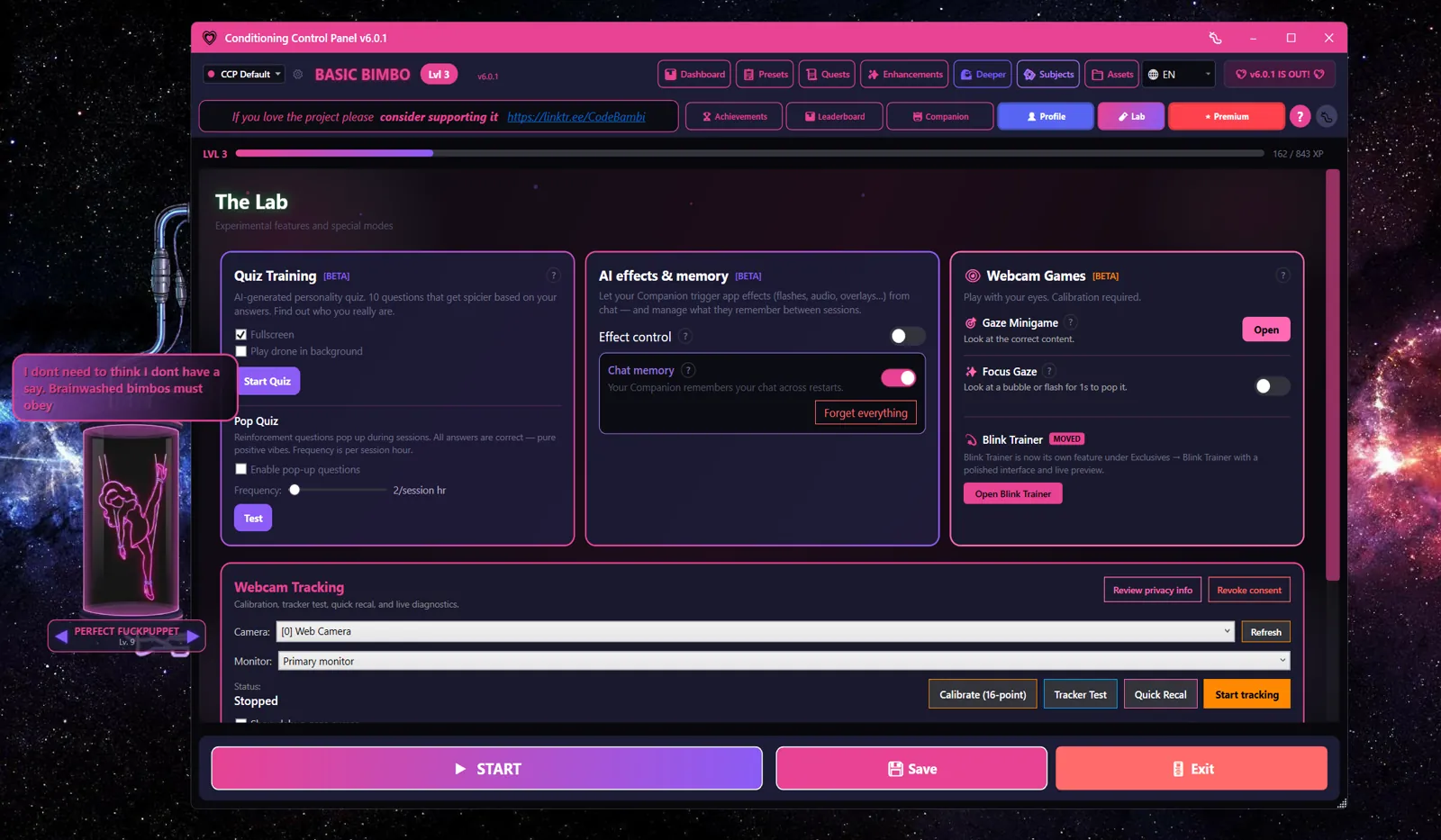
AI effects & memory beta
Let your Companion fire real app effects from inside chat - flashes, audio, overlays, haptics and more - and manage what she remembers between sessions. Every effect type is opt-in, and there's a cap on haptic intensity. This needs a local Ollama model; cloud AI can chat but can't drive effects.
Gaze Minigame beta
Look at the correct content. Your eyes are the controller. Needs webcam tracking running.
Focus Gaze
Hold your gaze on a bubble or a flash for one second to pop it. Same tracker, different game.
Webcam tracking
The camera setup the two gaze games sit on: pick your camera and monitor, grant consent, calibrate, start tracking. Local and on-device - no video leaves your machine.
Webcam setup itself is free
Camera consent and calibration are not gated. The Deeper tab has the same setup card and it's free for everyone - it has to be, because Deeper uses gaze triggers too. All the processing happens on your machine and no video ever leaves it. Details in webcam_gaze.txt.
This list moves on purpose
Don't subscribe to clearance 2 for one specific Lab feature. Subscribe because you want to be inside the testing and brainstorming. Things that prove out graduate; things that don't get retired without ceremony.
Remote Control
Graduated - it's clearance 1 now
Remote Control left the Lab and now sits in the ⭐ Premium tab with the rest of the Velvet Vault. Any paid clearance unlocks it, including clearance 1. The full walkthrough stays here.
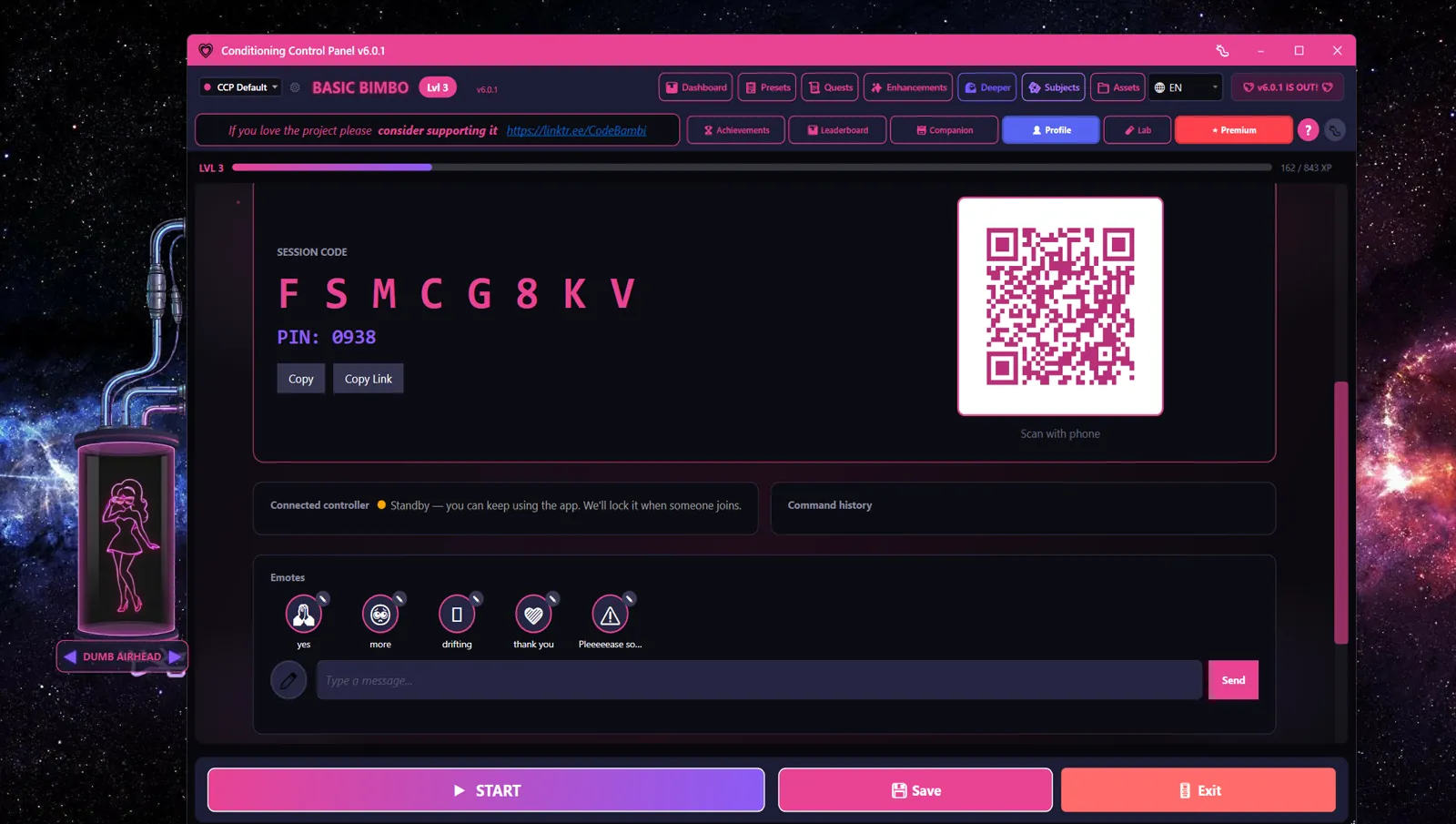
Remote Control lets someone else drive your effects from their phone or browser. You hand over the keys; they run the show.
How it works
- Open the ⭐ Premium tab and pick Remote Control from the collection
- The app generates an 8-character session code and a 4-digit PIN
- Give your controller both. The PIN is what stops a stranger guessing their way into your code.
- They open the web remote page and enter the two values, or scan the QR and skip the typing
- They can now fire effects on your machine in real time
Permission tiers
You decide how much rope they get. Each tier includes the one below it.
| Tier | What they can control |
|---|---|
| Light | Flashes, overlays |
| Standard | The above, plus videos and haptics |
| Full | All of that, plus autonomy, sessions and strict lock |
Safety
The panic button is always yours
Whatever tier you granted, the panic button works. You can stop everything instantly, and the controller has no way to take that away from you.
Keyword Triggers (now the Awareness Engine)
Graduated - read the dedicated guide instead
What used to be "Keyword Triggers" grew up into the Awareness Engine, now a clearance 1 feature with its own page. The summary below is kept for context; awareness_engine.txt has the current feature set.
Keyword Triggers watch what you type, anywhere on your computer, and fire a response when a word you configured shows up.
Matching
- Plain text - a word or a phrase, matched as written
- Regex patterns - for when a plain phrase isn't flexible enough
Responses
One keyword can set off several of these at once:
| Response | What happens |
|---|---|
| Audio playback | Plays a sound file |
| Subliminal flash | Brief text overlay |
| Image flash | Flashes an image on screen |
| Overlay pulse | A screen overlay effect |
| Haptic feedback | Buzzes a connected toy |
| XP reward | Earns XP when the trigger fires |
Settings
- Per-trigger cooldowns - stop one word firing over and over
- Global cooldown - a floor on how often anything can fire
- Volume - for the audio responses
- Session XP multiplier - bonus XP while a session is running
Screen OCR
Optional. Scans what's on your screen for your keywords, so words you read count too, not only words you type. Matches get highlighted.
Managing triggers
- Add, edit and delete triggers one at a time
- Import from the old Trigger Mode if you have a list there already
What's Coming
More will land here. That's the whole point of the Lab: it's where things get born, tested and sharpened before they become a real feature. If you want to be in the room while that happens, clearance 2 is the door.
Read the clearance breakdown, or go straight to Patreon or SubscribeStar. Same tiers, same prices, pick whichever you prefer.