 Conditioning Control Panel
Overview

Lockdown Mode lives in its own tab under Exclusives (it graduated out of the Lab in v5.8.4). Pick a timer length, confirm twice, and the app holds you in a strict conditioning window - Strict Lock forced on, panic key disabled, and the entire UI re-themed in crimson - until the clock runs out.
Timed Window
5 minutes to 4 hours
No Panic Key
The usual escape hatch is disabled
Crash-Safe
Your real settings are restored if the app dies mid-lockdown
Patreon Feature
Lockdown Mode is gated behind a Patreon subscription. Free users see the tab but get a translucent unlock prompt instead of the Activate button.
Durations
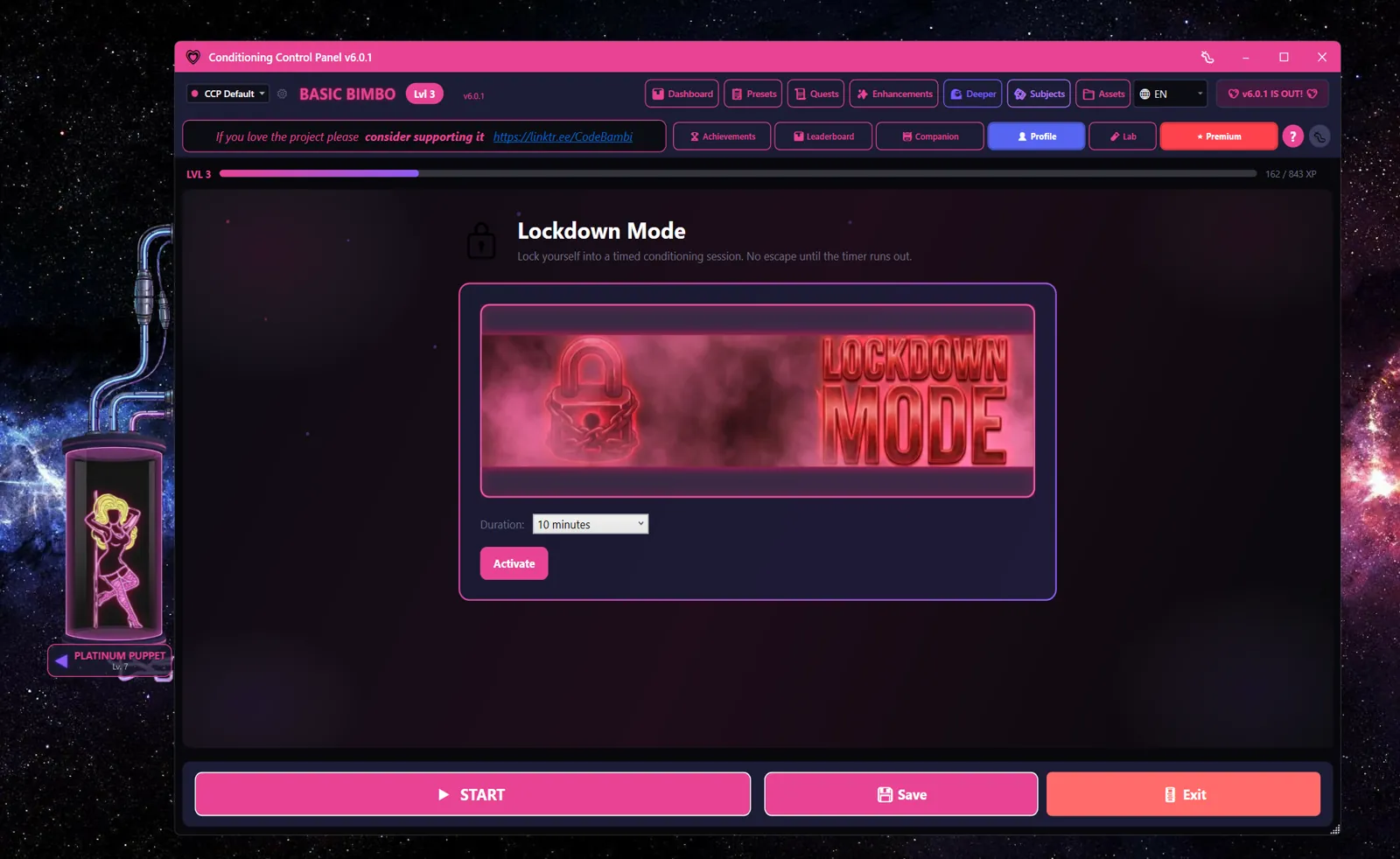
Pick from the dropdown before activating. Defaults to 10 minutes.
- 5 minutes
- 10 minutes
- 15 minutes
- 30 minutes
- 60 minutes
- 2 hours
- 4 hours
Pick Honestly
Once you confirm, there's no slider, no extension, and no early exit through normal channels. Start short (5-10 minutes) the first few times so you know what the window feels like.
What Lockdown Does
The instant you confirm, Lockdown Mode:
- Forces Strict Lock on - settings, panic toggles, and exit paths the engine respects all stop responding
- Disables the panic key shortcut for the duration of the timer
- Re-themes the window background and title bar to crimson so it's visually obvious the app is in a different state
- Shows a large countdown timer where the duration picker used to be
- Blocks key handling app-wide, including the panic key, while the timer is running
When the timer hits zero, the app deactivates cleanly: your previous Strict Lock and panic key values are restored, the crimson theme reverts, and the tab goes back to the setup panel.
Safety & Recovery
Lockdown stores your pre-lockdown Strict Lock and panic key values to a small recovery file (%APPDATA%/ConditioningControlPanel/lockdown_recovery.json) before overriding them. Two reasons:
- Crash safety. If the app is force-killed or crashes mid-lockdown, the next launch detects the recovery file and restores your real values - your panic key won't stay stuck off forever.
- Save-during-lockdown safety. Many code paths call
settings.Save()as you use the app. Without the recovery file, the forced-off panic key would get persisted to disk and outlive the lockdown window. The recovery file ensures the disk value gets overwritten with the real one when lockdown ends.
Lockdown state itself is ephemeral - it never persists across an app restart. If you reboot during a lockdown, the recovery file restores your real settings and lockdown is over.
Emergency Exit
There is a last-resort exit path, intentionally not advertised in the UI. The Lockdown tab's giant red timer is clickable: tap it to reveal a text input, type let me out (case-insensitive), and press Enter. Lockdown ends immediately and your real settings come back.
This is a safety valve, not a feature
The exit phrase exists so nobody gets genuinely trapped in a session they need to leave - illness, emergency, someone at the door. Using it for "I'm bored" defeats the entire point of Lockdown Mode. Treat it like a fire exit, not a back door.
Tips
- Pair with a session. Start a session of the right length first, then activate Lockdown over the top. The timers don't talk to each other, but the combined effect is what most users are after.
- Combine with No Escape. If you want a maximally-committed window, run Lockdown alongside the No Escape and Pink Filter combo from advanced_faq.txt - that's how you unlock the Total Lockdown achievement.
- Don't activate from inside another timed feature. Lockdown overrides Strict Lock and the panic key in a way that's safe to layer, but it doesn't pause for other modes. If you're already in a session that's about to end, let it finish first so you know exactly what window you're committing to.
- Force-quitting works. If the panic key, the secret phrase, and patience are all off the table, killing the app process (Task Manager) will end Lockdown. The recovery file restores your real settings on next launch.