 Conditioning Control Panel
Overview
Cloud sync backs up your progress and keeps it consistent across machines. Sign in once and your level, achievements, skills, and stats live on the server as well as on your PC.
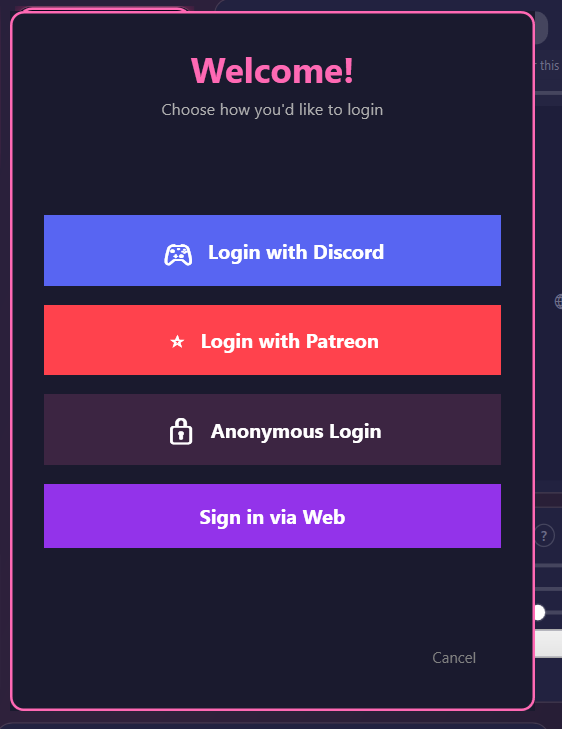
There are five ways to sign in. You can link several of them to the same account and then use whichever is convenient. Behind them all is a single unified ID, so it is always the same account no matter which door you came through.
This part is free
Cloud sync, cross-device progress, and the leaderboard cost nothing. You need an account, not a subscription. Signing in with Patreon or SubscribeStar is one option among several, not a requirement.
Auto Sync
Runs on login and when a session ends
Cross-Device
Pick up where you left off on another PC
One Account
Every sign-in method can point at the same ID
Higher Wins
When two copies disagree, the better one is kept
The Two Rails
There are two account systems, and they are built to link together. Start on either one and bridge to the other whenever you like.
🖥️ Rail 1 - the desktop app
The CCP client and its own server. Four ways in:
- Discord - one click, using your Discord account
- Patreon - one click, and it picks up your supporter tier at the same time
- SubscribeStar - same idea, if that is where you subscribe
- Anonymous - a display name and a password, opened with an invite code. No email, no third-party account.
Stored on the CCP server (Upstash Redis, hosted on Vercel).
🌐 Rail 2 - the website
The app.cclabs.app companion site, slowly growing into its own thing:
- Email magic link - type your address, click the link, done. No password.
- Patreon and Discord sign-in work here too
- Browse your profile, your subjects, your subscription, downloads, and connections
- Subscribe with PayPal or a card, billed by CC Labs directly
Stored on Supabase (Postgres and Auth).
How the two link up
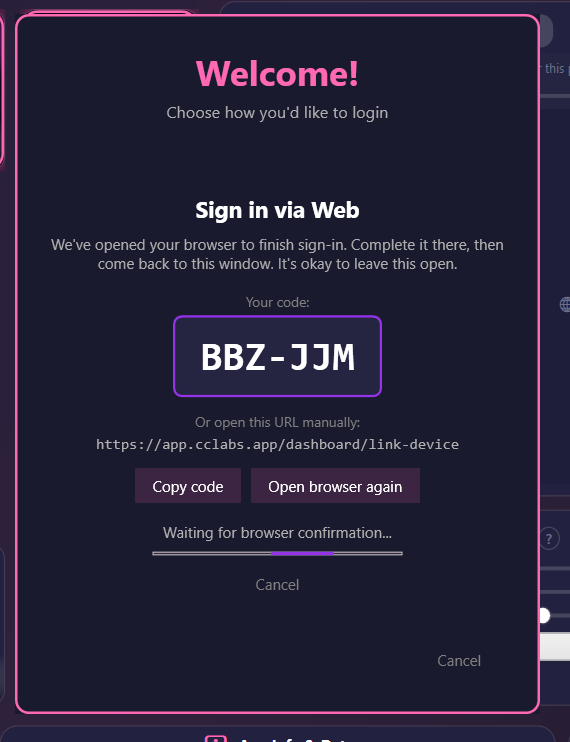
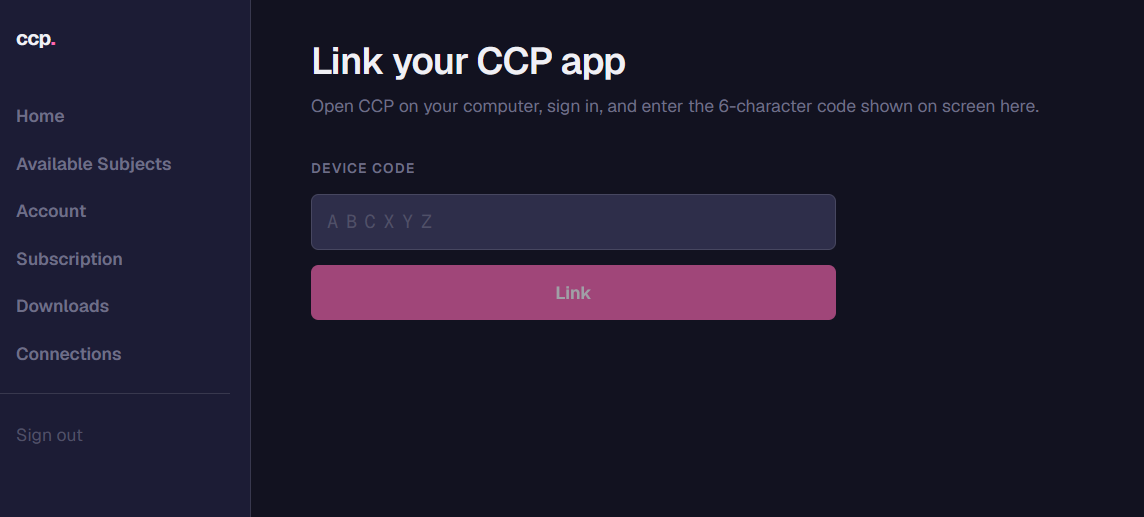
The Sign in via Web button in the app bridges them. It shows a 6-character code and opens your browser at app.cclabs.app/dashboard/link-device. You sign in there (or sign up with a magic link), type the code, and the app is paired to your web account.
app.cclabs.app/dashboard/link-device.Why two of them?
The website is becoming a real product in its own right. Email-only sign-up means you can have an account without handing over a Patreon or Discord identity. Billing will hang off the web account when card payments arrive, and the device link keeps your desktop progress in step either way.
Ways to Sign In
Five options, and what each one is good for.
1. Discord
- Click Login with Discord in the app's login window
- Approve CCP in the browser that opens
- The token is saved on your PC, encrypted with Windows DPAPI
- Good for: people already in the Discord community
2. Patreon
- Click Login with Patreon
- Approve CCP in the browser
- Same encrypted token storage
- Also reads your tier, so supporter features unlock on their own
- Good for: Patreon supporters who want no extra steps
3. SubscribeStar
- Click Login with SubscribeStar
- Works the same way as Patreon, including tier detection
- Good for: supporters who subscribe on SubscribeStar instead
4. Anonymous (invite code)
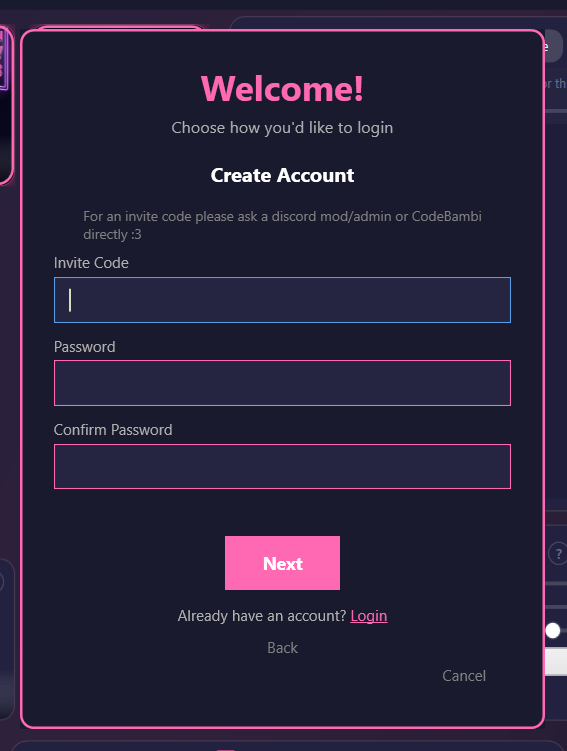
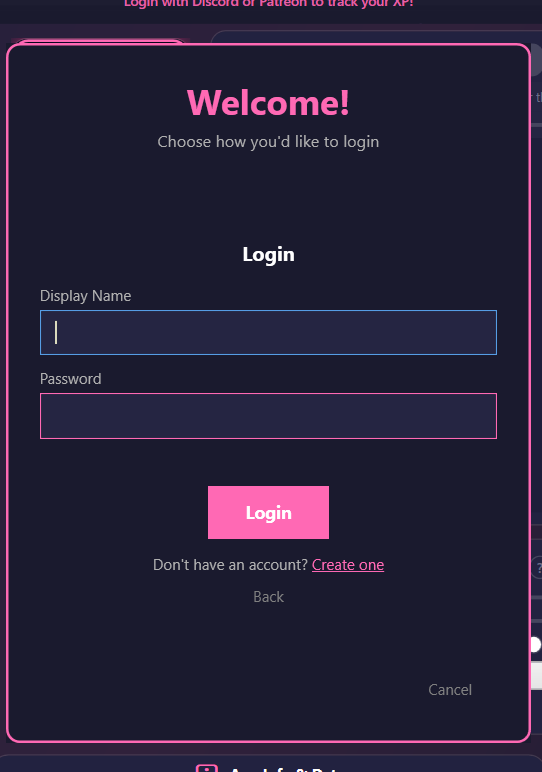
- Click Anonymous Login
- No account yet? Hit Create one, paste your invite code, pick a display name, set a password.
- Invite codes come from a Discord mod or admin, or from CodeBambi directly
- No email, no third-party account. A name and a password, and that is the whole record.
- Good for: anyone who does not want a Patreon or Discord identity attached
5. Sign in via Web
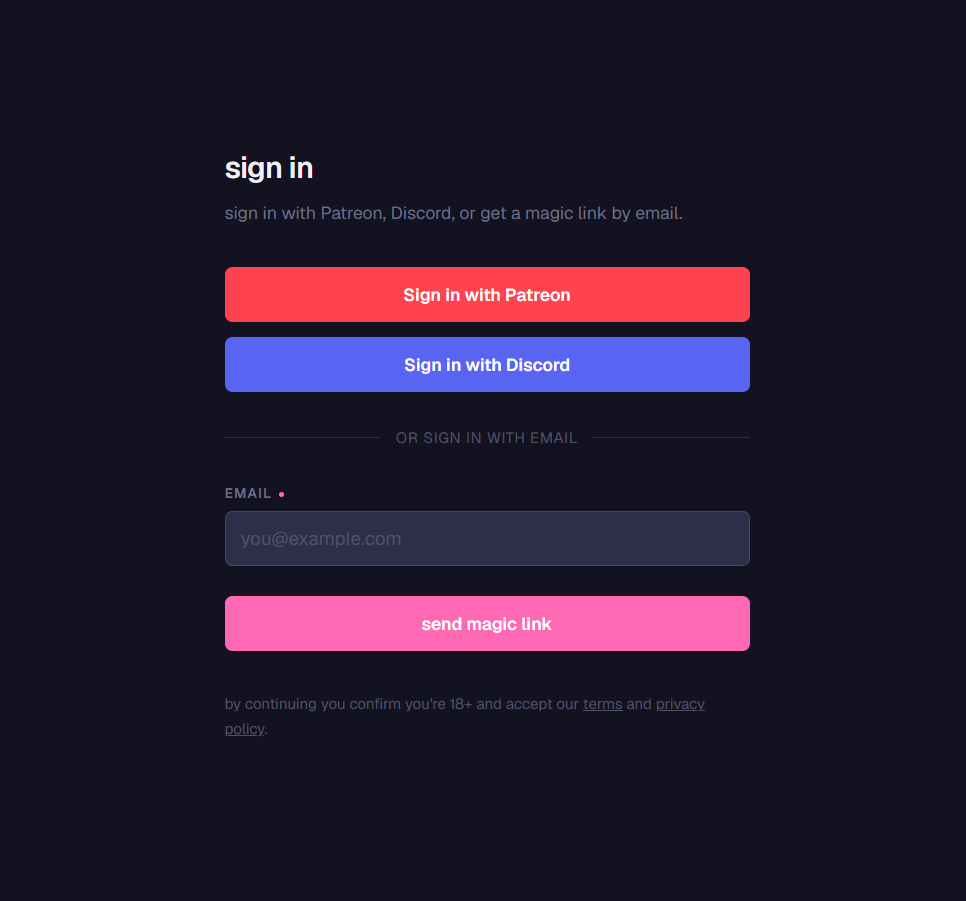
app.cclabs.app you can use the same providers, or skip them with an email magic link.- Click Sign in via Web. The app shows a 6-character code and opens your browser.
- Sign in (or sign up) at
app.cclabs.appwith Patreon, Discord, or just an email address - Email sign-in has no password at all: type your address, click the link in the mail, you are in
- Type the code into
app.cclabs.app/dashboard/link-deviceto pair the app - Good for: an account that does not depend on Patreon or Discord, or one that will handle payments later
You can use more than one
All five can point at the same account. Sign in once, then link the others from your profile and use whichever you feel like. The unified ID stays the same, so your progress does not care which one you picked.
Unified ID
Whichever method created your account, it gets one unified ID. Link a second method later (say, adding Patreon to an account you started with Discord) and both resolve to that same ID.
What that buys you
- One identity - one account, several doors
- One set of data - the app and the website read and write the same record
- One place on the leaderboard - one rank, one profile
- Tier follows you - if your Discord login is the same person as your Patreon, supporter features work regardless of which one you used to sign in
Using the app before v5.5?
Your old data was moved over automatically on your next login. Nothing for you to do.
What Syncs
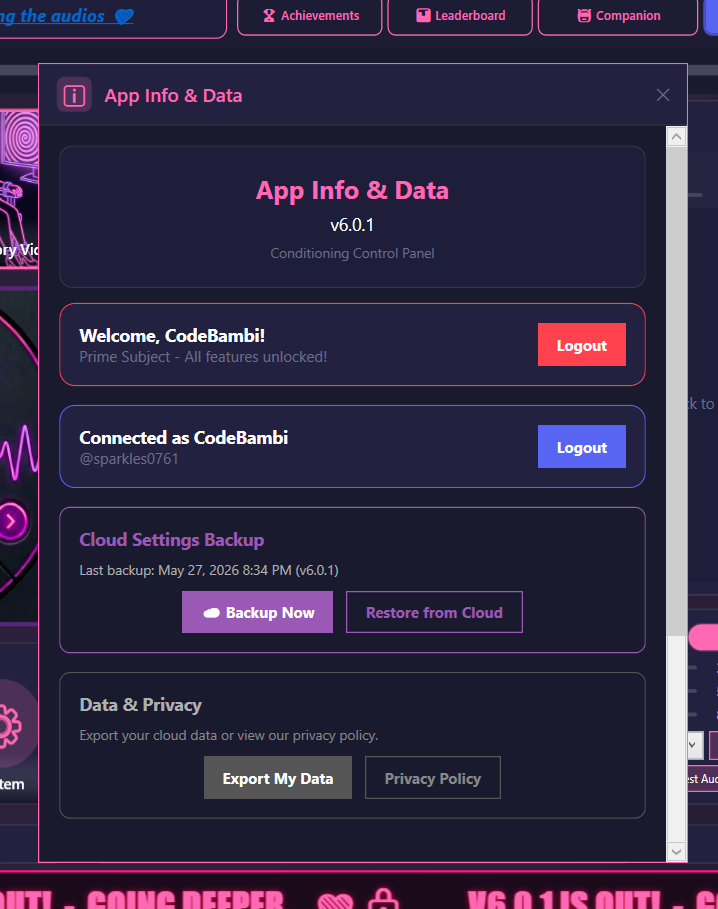
This is what travels between your PC and the cloud:
| Data | Details |
|---|---|
| Level & XP | Total XP and your current level |
| Achievements | Which ones you have unlocked |
| Skill Points | The server's number wins |
| Unlocked Skills | Both sets combined, so you never lose an unlock |
| Conditioning Minutes | Total time across all sessions |
| Session Stats | Completed, longest, started, abandoned |
| Flash Stats | Images shown |
| Streak Data | Current streak, best streak, last date |
| Quest Progress | Daily and weekly completions, quest XP, quest streak |
| Bubble Stats | Bubbles popped, bubble count games |
| Video Stats | Minutes watched, attention checks passed and failed |
| Companion Progress | Per-companion relationship progress |
| Day Log | From 6.9.2: per-day counters (XP, conditioning minutes, flashes, bubbles, pink filter, spiral, video, lock cards, attention checks, bubble count games, sessions started), the quests you finished that day, and the day each achievement first unlocked. Only you see it, on your own Spiral. Kept 400 days, deleted with the account. |
| Cosmetics | Trainer card decorations you have equipped |
| Display Name | The public name on your profile |
| Privacy Settings | Your DM, online status, and profile picture choices |
Everything else stays on your machine: your media, your presets, your app settings, your chat history, and the moment-to-moment detail of any given session. The day log above is daily totals, not a recording.
Cross-Device Sync
Sync runs automatically when you log in and again when a session ends. Separately, the app sends a short "still here" ping every 2 minutes so your online status stays current.
When the two copies disagree
- Numbers (XP, level, minutes) - the higher one is kept
- Lists (achievements, skills) - both are combined, so nothing is dropped
- Skill points - the server's number wins
- Streaks - the longer streak wins, with the more recent date
Not live during a session
Sync happens at login and at the end of a session, not continuously. If you want to move to another PC, finish the session you are in first.
Offline Mode
Turn on Offline Mode in Settings and the app stops talking to the server completely.
- Nothing is sent: no sync, no downloads, no online ping, no leaderboard row
- Everything keeps working locally, and your progress is still saved on your PC
- Switch it back off and your next login syncs as normal
Handy for travel, or just for privacy
Your local progress is safe either way, and it merges with the cloud when you come back online.
Privacy
Your display name starts as your platform username and can be changed to anything at any time. Three toggles control what anyone else can see:
| Setting | Default | What it does |
|---|---|---|
| Show Online Status | On | Whether you can ever appear online on the leaderboard |
| Share Profile Picture | Off | Whether your avatar is visible to other people |
| Allow Discord DM | Off | Whether your Discord ID is shared so others can message you |
Desktop-side accounts and progress live on the CCP server (Upstash Redis on Vercel). Web-side accounts live on Supabase (Postgres and Auth). Link them and both records point at the same unified ID while staying in their own database.
Email addresses are stored as one-way HMAC-SHA256 hashes rather than as plaintext, invite-code passwords are bcrypt hashed, and session tokens are stored as hashes too. The Privacy Policy has the full list of what is kept, for how long, and how to get it deleted.