 Conditioning Control Panel
Overview
The leaderboard ranks everyone by the XP they have earned this season. You earn XP by using the app: sessions, quests, streaks, and the various tools. Your row moves the next time the app syncs your progress.
It costs nothing. The leaderboard is part of the free app. All you need is an account, so there is something to attach your progress to. See Cloud Sync & Accounts for the ways to sign in.
Monthly Seasons
One calendar month each, then a fresh table opens
Two Views
This month's table, or the all-time board
OG Badges
Permanent mark for people who were there in season 0
You control what shows
Your display name is yours to pick, and three toggles decide whether your online status, your profile picture, and your Discord DMs are visible to anyone else. Details in Profile Viewer.
Monthly Seasons
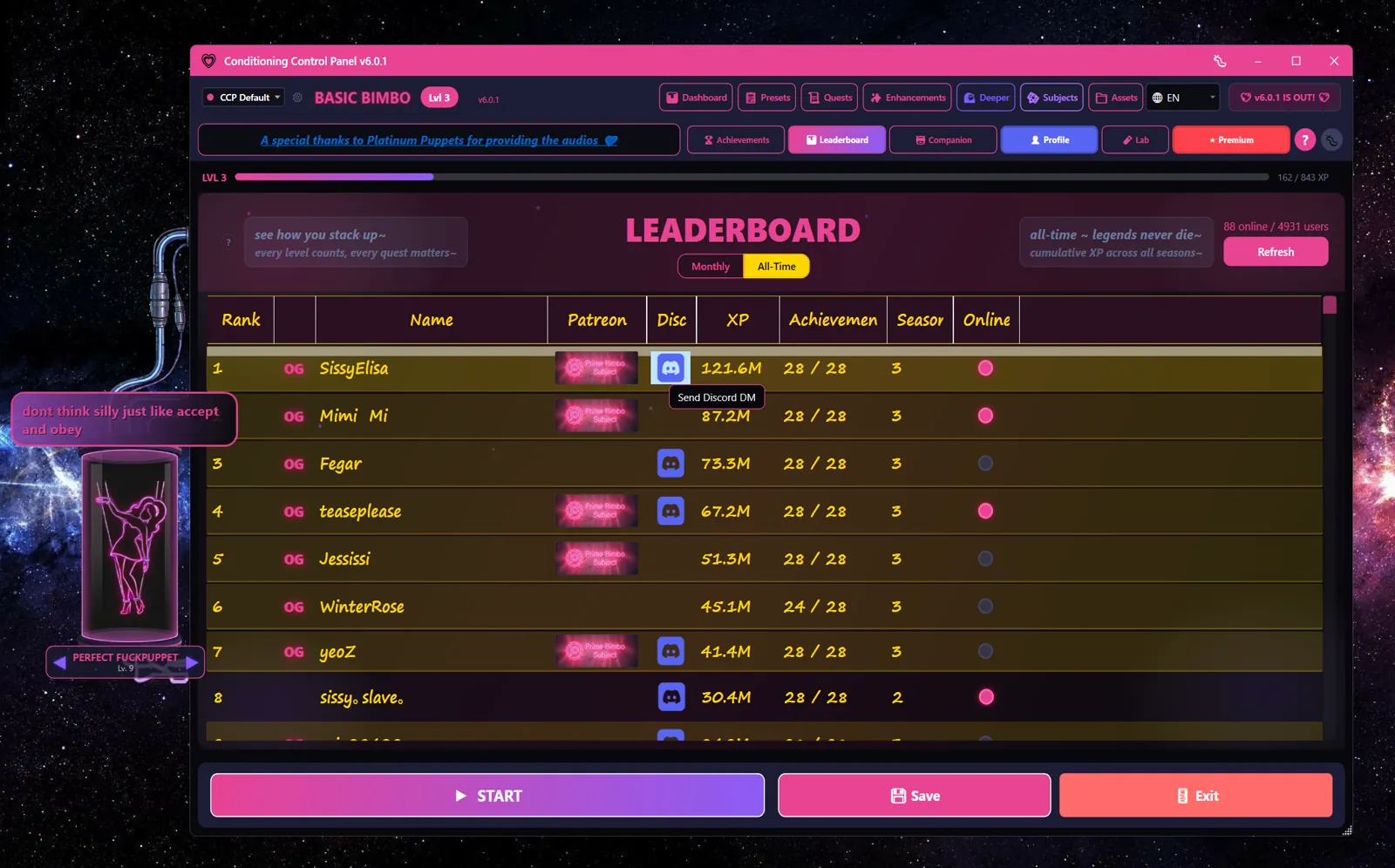
A season is one calendar month. Each one is labelled YYYY-MM under the hood and gets a name in the app.
How a season works
- One month, one season. Season
2026-08is August 2026. - Every season has a name. The server sets it; if the app can't reach the server it falls back to a built-in name for that month. Recent examples: "Mindless March", "Mooing May", "Ass-up August".
- Rollover archives the old table and opens a new one. The final rankings are snapshotted and kept, and a fresh set of standings starts so that this month's climb is being compared with everyone else's this month. As the app says when it happens, the monthly leaderboard has rotated, which it does at the start of every month so everyone gets a fresh run at the rankings.
What carries over
Everything. Your level, your XP, your streak and everything you have unlocked carry forward, and they will keep doing that from here on:
- Your level and XP. They only ever go up, and the number on your profile is your real lifetime number rather than a monthly one.
- Your whole skill tree. Every node stays bought, the ones that change how the app behaves as much as the record-keeping ones, and your unspent point balance comes with you.
- Your streaks. Daily streak and daily-quest streak both survive the turn of the month, and the server hands you an extra streak-fix charge at each rollover, which stacks up rather than expiring.
- Your stats. Flashes, bubbles popped, video minutes and lock cards keep counting up rather than being zeroed into an all-time column.
- Your banked days and your Descent stage. See descent.log.
- Achievements and your account. Once unlocked, unlocked for good, and your login, display name, privacy settings and linked platforms are untouched.
What resets
The standings table, and only the standings table. The month you are ranked on changes on the first, so the board you are looking at empties and refills with this month's XP while your account carries on exactly as it was.
The wipe is gone for good
A rollover used to send you back to level 1 with half your skill tree refunded, and this page used to say so, but there are no more wipes coming. The server suppresses the wipe permanently now, and the promise made when the Descent shipped was the plain version: nothing was wiped, and nothing will be.
Rankings
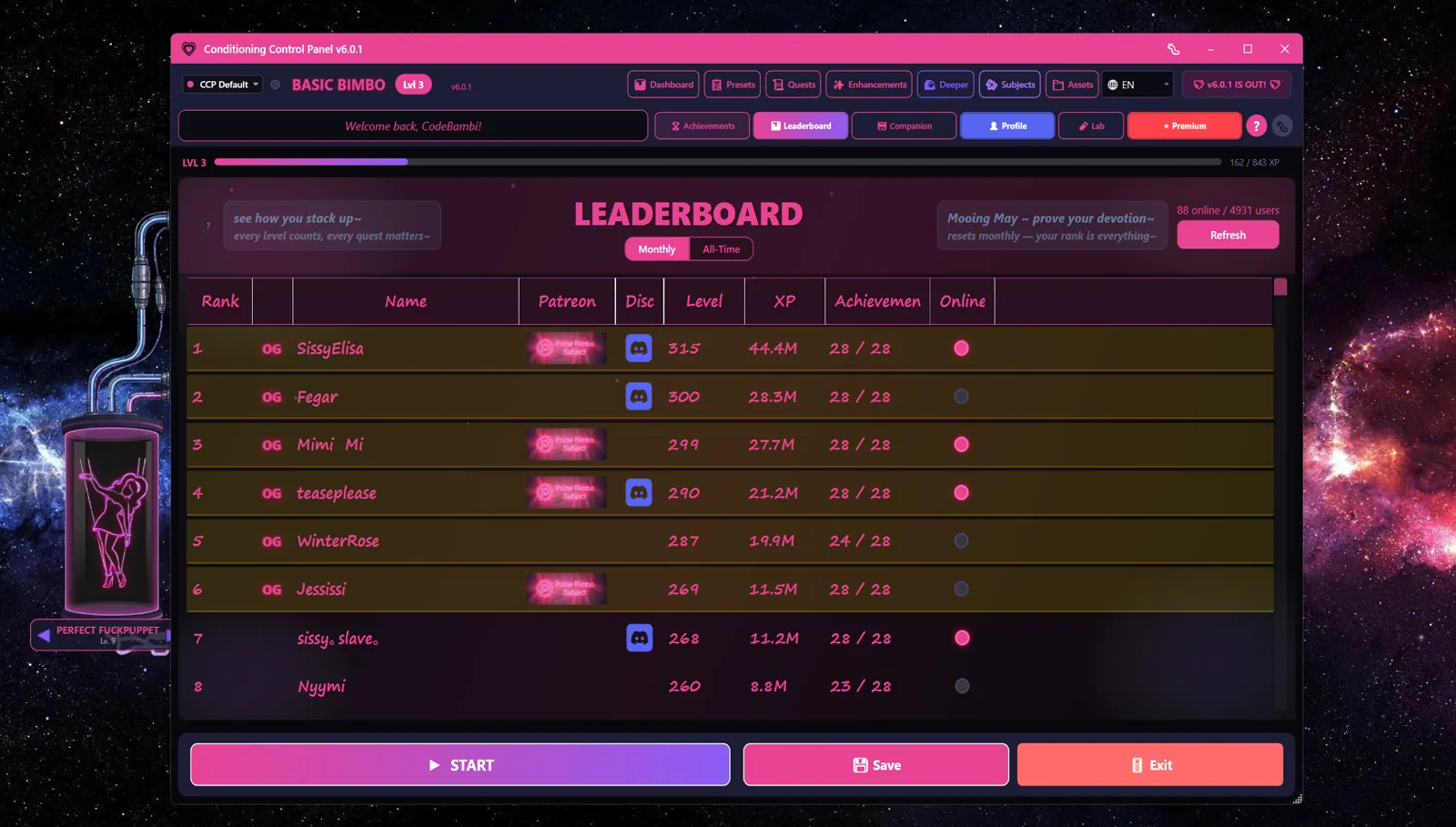
Rows are sorted by XP earned this season. Your level and title sit next to your rank. Rank moves when your progress reaches the server, which happens when you log in and when a session ends, not continuously while you are mid-session.
What a row shows
| Column | Details |
|---|---|
| Position | Your rank out of everyone who scored this season |
| Level & Title | Your current season level, with its title |
| XP | XP earned this season |
| Online Status | Green dot if the app has checked in within the last 3 minutes, and only if you have left online status switched on |
| Display Name | Whatever you set. Defaults to your platform username until you change it. |
| Badges | Supporter tier and the Season 0 OG mark, where they apply |
The app sends a short "still here" ping every 2 minutes while it is running. You count as online for 3 minutes after the last one, so a brief hiccup won't drop your dot.
Extra stats are opt-in
Longest session and best streak are only published on your row if you have bought the Trophy Case skill node. Skip it and those two numbers stay off the board.
OG Badges
The Season 0 OG badge marks people who were already here during the first season, before seasons were formally a thing.
- Permanent - it is a flag on the account, not a seasonal reward
- Visible - shows on your leaderboard row and your profile
- Automatic - granted from the season 0 records when you sign in. Nothing to claim.
Nothing to do
If you were in season 0, the badge finds you on your next sign-in.
Profile Viewer
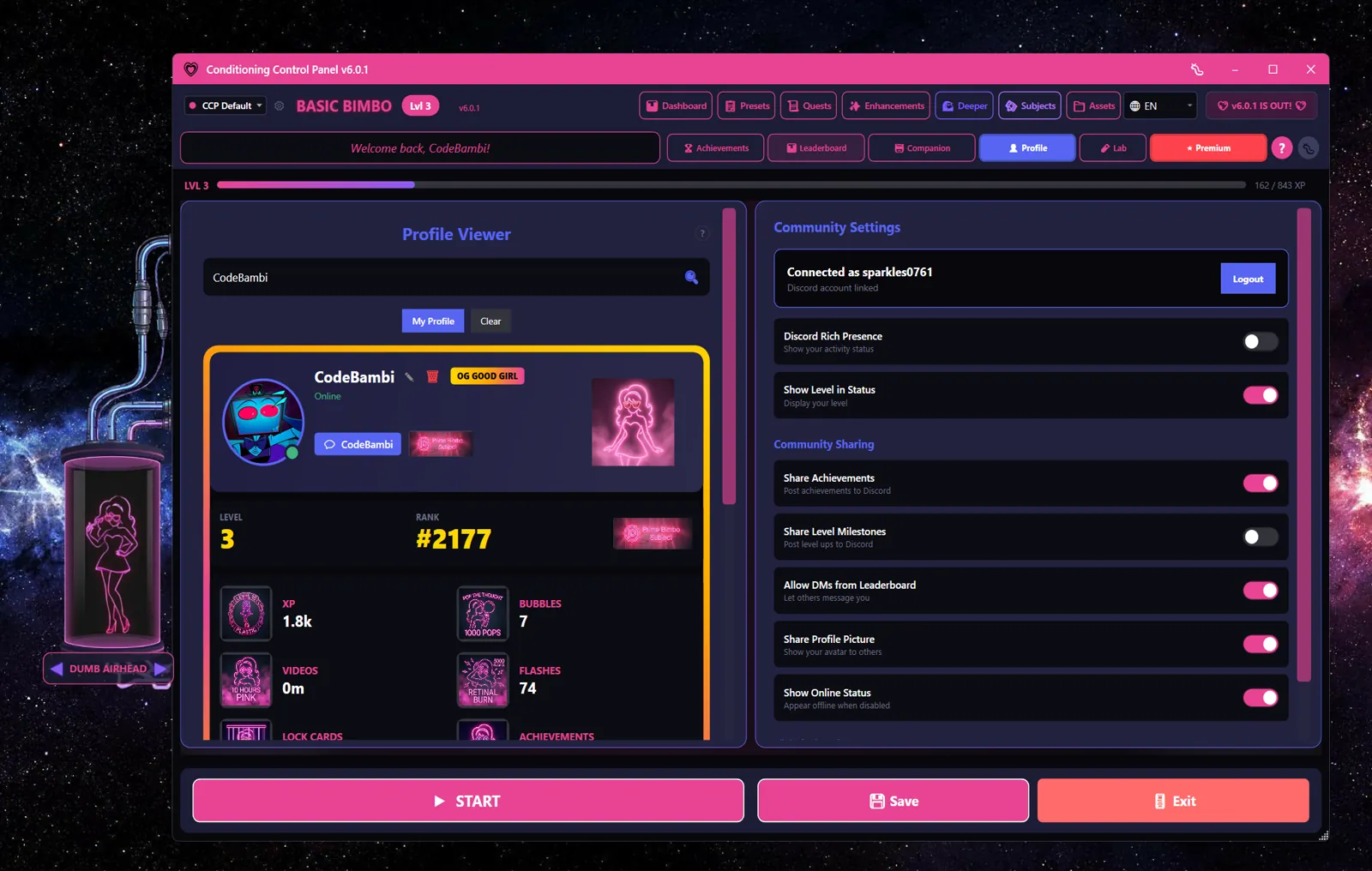
Click anyone on the leaderboard to open their profile.
What other people can see
Being specific here, because it matters. A profile shows:
- Display name, rank, level, and season XP
- How many achievements they have unlocked (a count, not the list)
- Season stats: flashes, bubbles popped, video minutes, lock cards completed
- All-time figures: lifetime XP, highest level ever, seasons completed
- Supporter tier badge and the Season 0 OG mark
- Online status, only if that person left the toggle on
- A Discord link, only if that person allows Discord DMs
- Longest session and best streak, only if that person owns the Trophy Case skill
Nothing else leaves your machine for the board. What you actually did in a session, which files you use, your settings, and your chat history are not part of any of this.
Your privacy toggles
| Setting | Description |
|---|---|
| Display Name | The name on your row. Change it to anything; it does not have to match your Discord or Patreon name. |
| Share Profile Picture | Off by default. Turn it on to show your avatar to others. |
| Show Online Status | On by default. Turn it off and you never appear online, to anyone. |
| Allow Discord DM | Off by default. Turn it on to let people reach you from your row. Your Discord ID is only shared while this is on. |
Prefer not to appear at all?
Turn on Offline Mode in the System card on the Dashboard and the app stops talking to the server entirely. No sync, no ping, no leaderboard row. Everything still works locally. See Offline Mode.
Web Leaderboard
There is a season page on this site at leaderboard.html. It carries the current season number, the season rules, and an illustrative standings table so you can see the shape of the thing without installing anything.
The live board is in the app
The web page is a summary, not a live mirror. For real standings, open the Leaderboard tab in CCP.